


Walmart MoneyCard®
3.81.87K Reviews
App Specs
- Version
- 2.7.0
- Updated On
- License
- Free
- Downloads
- 500,000+
- Developer
- Green Dot
- Categories
- Finance
- Platform
- Android
Screenshots
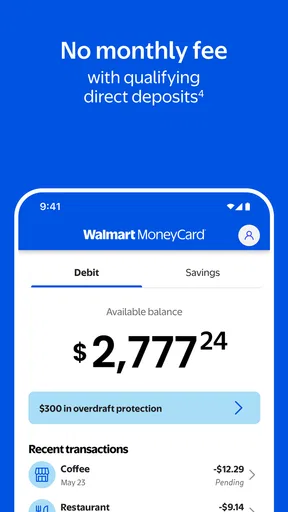
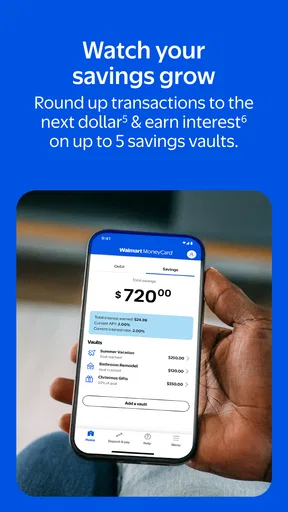
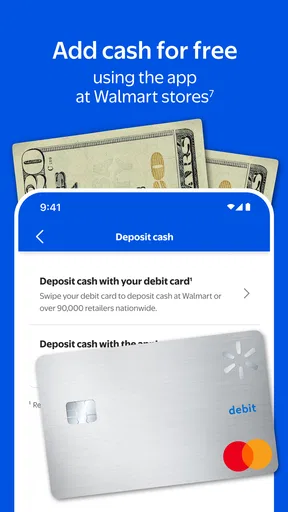
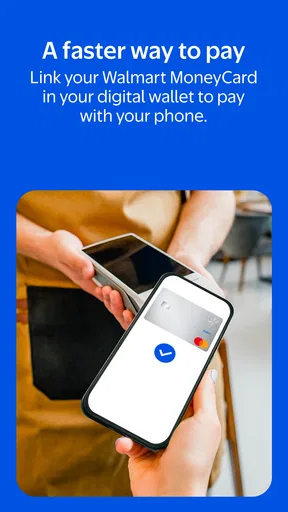
 Analysis by AppCompare
I approached Walmart MoneyCard® as a practical finance app rather than a full replacement for every kind of bank account. Its central appeal is straightforward: it gives people who use the Walmart MoneyCard a mobile place to keep an eye on their money and handle everyday card-related tasks. After spending time with it, my view is that it works best when your financial routine already fits the Walmart MoneyCard ecosystem. If you want a simple companion for checking your balance and staying aware of activity, it has a clear purpose. If you expect the depth of a traditional bank app, the experience may feel narrower.
The app is free, comes from Green Dot, and sits in the finance category. It has reached over 500 thousand installs, with an average rating of 3.7 from around 3.7 thousand ratings. That combination tells me it is established enough to have a real user base, but not so universally loved that I would recommend installing it without thinking about your needs. The Mature 17+ age classification is also worth noticing, especially if you are choosing financial tools for a younger household member.
What the Walmart MoneyCard app does well in everyday use
The most useful quality is focus. Rather than trying to become a general-purpose financial dashboard, the app is built around the Walmart MoneyCard experience. That makes it easier to understand why you would open it: you want to check what is available, review recent movement, or manage the card from your phone instead of relying on a browser or waiting until you can use another device.
That focus matters in ordinary situations. Imagine finishing a grocery trip and wanting to confirm that the card payment has been reflected before making another purchase. A dedicated mobile app is more convenient than searching through email, keeping paper receipts, or guessing from memory. I also found the app more useful as a quick check-in tool than as something I would leave open for long sessions. Open it, verify the information you need, and get back to your day.
For someone who uses the card as a spending boundary, that quick access can be valuable. You can make checking the available money part of a routine before filling your basket, paying a bill, or making an online purchase. This is a small habit, but it can prevent the common mistake of treating a prepaid balance like an unlimited account. The app does not need elaborate budgeting charts to be helpful in that moment; it needs to make the current situation easy to understand.
Another strength is the connection between the physical card and the phone. A card can disappear into a wallet, a drawer, or a bag, while the phone is usually close at hand. Having the account experience on mobile reduces that separation. I especially see the benefit for people who use the MoneyCard for controlled spending, household purchases, or money they want to keep distinct from another account.
The app’s free price also lowers the barrier to trying it. You are not committing to a separate subscription simply to access the mobile companion. That does not automatically make it the best financial tool, but it does make the decision easier for existing cardholders: install it, see whether the workflow suits you, and remove it if it does not improve your routine.
Worth Reading Before You Choose

EA SPORTS FC Mobile 26 Is a Bigger Football Game, but It Takes Time

Flipboard Shows What News Apps Must Do Beyond the Feed

Switching to Android Auto Means Rethinking Your Driving Routine

Google Calendar Makes a Crowded Week Easier to Manage

Ludo King Makes the Most of the Minutes Between Plans

Baby Panda World Brings Quick Play to Modern Phones, but Its Game Library Feels Busy
Its current version is 2.7.0, and the app was released on March 12, 2025. I mention those details because a newly introduced or actively evolving app deserves a slightly different expectation from a long-established banking platform. The experience may continue to change, and users should keep the app updated through the normal store process rather than assuming that an older installation will always behave the same way.
A useful workflow for keeping spending visible
My preferred way to use the app is deliberately simple. I would check the account before a planned purchase, review the result afterward, and use the history as a prompt to reconcile the transaction with a receipt. That three-step habit is more useful than opening the app randomly. It turns the phone into a checkpoint instead of another source of financial noise.
This is particularly practical for irregular income or tightly managed spending. When every purchase needs to fit within a known amount, a quick balance review can shape the decision before the checkout screen. It is also useful for separating a particular spending purpose from a main checking account. The app does not have to replace a full budget planner to support that method; it only needs to make the card’s position visible when you need it.
A less obvious benefit is that the app can help reduce the mental gap between a transaction and its effect on your available money. People often remember what they intended to spend but forget smaller purchases made throughout the day. Reviewing activity on the same device used for shopping creates a natural reminder. I would not treat that as a complete accounting system, but it is a sensible first layer of awareness.
There is also a practical reason to prefer the mobile experience over occasional checks. A once-a-week review can miss the context around a purchase. A short check after a busy shopping day makes it easier to identify which transaction belongs to which receipt. That is the kind of ordinary workflow where the app feels more useful than its brief store summary suggests.
Where the experience feels limited
The biggest limitation is also the app’s defining choice: it is centered on the Walmart MoneyCard, not on broad personal finance management. I would not install it expecting investment tracking, detailed cash-flow planning, or the wider set of tools commonly found in a full-service bank app. If your main goal is to see several accounts together, analyze categories over time, or manage a larger financial picture, a traditional bank platform or a dedicated budgeting app is likely a better fit.
That distinction is important because the word “bank” can create broader expectations. The app’s purpose is more specific than a complete banking relationship. It can be a convenient control panel for the card, but it should not be mistaken for a universal replacement for checking, savings, credit, and planning tools. I would choose it for card visibility, not for a complete financial command center.
There is another trade-off in relying on a mobile companion for money information: the phone becomes part of the access routine. If your device is unavailable, your connection is unreliable, or you simply dislike handling financial matters on a phone, the convenience becomes less meaningful. That is not a flaw unique to this app, but it is a real consideration for anyone who prefers in-person or desktop banking.
I also recommend keeping expectations realistic about what a balance check can tell you. Seeing a number is not the same as understanding every upcoming obligation. A pending or recently made purchase may require context, and a person who needs a precise forward-looking budget should still keep a separate record of scheduled payments and planned spending. The app can support that discipline, but it should not be the only place you organize your finances.
The rating of 3.7, based on thousands of ratings, reinforces my balanced impression. It is not a warning to avoid the app, but it is also not evidence of a flawless experience. Finance apps are judged harshly for good reason: a small moment of confusion can matter when someone is trying to pay for essentials. I would test the core tasks soon after installation and decide based on whether the app makes those particular tasks clearer for you.
Who should use it and who should look elsewhere
I think this app is best for an existing Walmart MoneyCard user who wants mobile access without adding another paid tool. It suits people who check their available money before purchases, want a convenient view of card activity, or prefer separating a controlled spending amount from other finances. It can also work well for someone who does not need a sophisticated financial dashboard and values a direct, uncomplicated connection to one card.
It is less suitable for a person comparing several bank accounts, building a detailed household budget, or looking for advanced financial analysis. In those cases, a bank app with broader account support or a dedicated budgeting service will probably save time. I would also suggest skipping it if you do not use the Walmart MoneyCard itself; the app’s value depends on that relationship, so installing it without the card’s role in your routine would not make much sense.
Families should think about the age classification before handing over access. Because the app is rated Mature 17+, I would not treat it as an automatic choice for a child or young teenager. An adult should decide whether the app and the associated card arrangement are appropriate, rather than assuming that a finance app is suitable for every age simply because it is free.
For people who are new to prepaid-card management, I would use the app alongside a basic written spending plan for the first few weeks. Note the amount you intend to reserve, check the app before larger purchases, and compare the activity afterward with your receipts. This helps you learn the rhythm of the card without expecting the app to teach every aspect of money management.
Choosing between a card companion and broader money tools
When I compare this with the usual alternatives, I think first about the job rather than the brand. A general bank app is a better starting point if you want one place to handle several accounts or see a broader banking relationship. A dedicated budgeting service makes more sense when the main task is planning categories, tracking spending across accounts, or looking ahead to bills. A spreadsheet or written plan can be enough if you only need to allocate a fixed amount and prefer not to make your phone the center of your financial routine.
The trade-off is convenience versus breadth. This app is most compelling when you already use the card and want a direct mobile way to check in on it. Switching to a broader tool may give you more of the financial overview you need, but it also means setting up another workflow and deciding which records you will trust. I would avoid maintaining duplicate balances manually for long: if you use a separate budget, decide whether the app or your budget is the source you check first, then reconcile the other on a regular schedule.
One practical tip is to use the app for immediate awareness and keep longer-term plans somewhere designed for them. Before a grocery run, check the card; after shopping, compare the activity with the receipt; when planning the week, refer to your written budget as well. That division reduces the temptation to treat a current balance as money that is entirely free to spend. It is a modest workflow, but it is more dependable than expecting a focused card app to answer every planning question.
Everyday decisions and switching costs
Consider a household that sets aside a specific amount for weekly errands. Before leaving, the person responsible checks the card, makes the planned purchases, and later reviews the activity while the receipts are still easy to match. The app is useful in that routine because it puts a quick card check close to the spending moment. It is less useful if the household needs a shared, detailed view of several accounts, recurring bills, and savings goals; that calls for a broader system alongside or instead of a card companion.
If you are deciding whether to move away from your current routine, start by identifying what you actually use. If all you need is a quick look at the MoneyCard, trying the app is a low-friction step because there is no app price to weigh. If you already track every purchase in another tool, test whether the mobile check saves effort before changing your process. The cost of switching is not just installing an app; it is learning a new habit and avoiding conflicting records while you decide which tool belongs in your routine.
People often ask whether this can replace a regular bank app. I would not treat it as a substitute for a wider banking setup; its strongest role is access to the MoneyCard, while broader needs call for a broader option. If you are wondering whether it makes sense without the card, my answer is no: the card is the reason to use it. And if you are choosing for someone under 17, the Mature 17+ classification is a reason for an adult to review the fit rather than handing over access automatically.
My verdict after using it as a card companion
My conclusion is favorable, but specific: this is a focused companion for Walmart MoneyCard users, not a complete banking replacement. Its strongest argument is convenience. The app puts the card’s everyday information closer to the moment when you need it, making quick checks and spending awareness easier. Its free availability makes it a reasonable addition for people already committed to the card.
What holds it back is the limited scope that comes with that focus. Users wanting a broad view of their finances may quickly outgrow it or need another app beside it. That is not a reason to dismiss it; it is a reason to choose it for the right job. I would recommend it to someone who wants a straightforward mobile window into their Walmart MoneyCard and is comfortable handling money through a phone.
Green Dot has made a tool with a clear audience, and my experience suggests that clarity is its main strength. Before downloading, ask yourself one question: do I need better access to this specific card, or do I need a full financial management system? If the answer is the first, Walmart MoneyCard® is worth trying. If the answer is the second, start with a broader banking or budgeting option instead.
Pros
- No monthly fee when you receive qualifying direct deposits.
- Mobile check deposit lets you add funds without visiting a store.
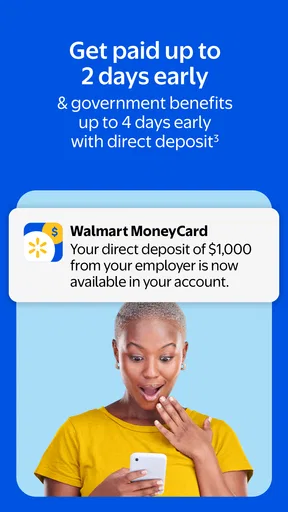
- Early direct deposit may provide access to eligible paychecks sooner.
- Card controls help you lock the card and monitor transactions in the app.
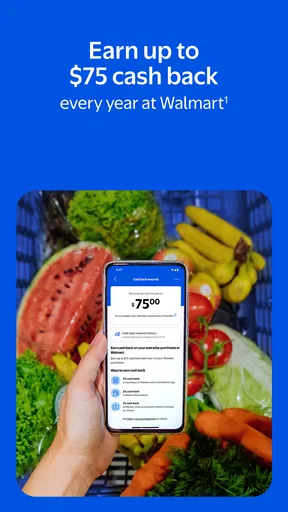
- Cash-back offers can provide savings at selected participating retailers.
Cons
- A monthly fee may apply if you do not meet the direct-deposit waiver requirements.
- Out-of-network ATM withdrawals can add extra fees to the transaction.
- Some cash reload locations may charge a separate service fee.
- It is not a traditional bank account and may lack full banking services.
- Funds and features can be subject to eligibility
- verification
- and account limits.
FAQs for Walmart MoneyCard®
What is Walmart MoneyCard® and how does it work?
Walmart MoneyCard® is a prepaid debit card and mobile app designed for everyday money management. You can load funds, receive eligible direct deposits, pay bills, transfer money, track spending, and use the card wherever Visa or Mastercard debit cards are accepted, depending on the version available to you. Because it is prepaid, purchases generally use the available balance rather than a traditional line of credit.
Are there fees for using Walmart MoneyCard®?
Fees may apply depending on how you use the account and which plan or offer is available in your area. Potential charges can include a monthly fee, cash reload fees, ATM withdrawal fees, expedited services, or fees for certain transfers. Before downloading or activating the card, review the current fee schedule and account agreement carefully, since pricing, waivers, and qualifying requirements may change.
Can I deposit my paycheck or government benefits into Walmart MoneyCard®?
Yes, Walmart MoneyCard® may support eligible direct deposits, allowing you to receive a paycheck, government benefit, or other recurring payment directly into the account. Availability and timing depend on the payer and deposit type. The app may provide account and routing details for setup, but you should verify all information and confirm deposit requirements with your employer or benefits provider.
Is Walmart MoneyCard® a bank account, and is my money protected?
Walmart MoneyCard® is generally a prepaid account rather than a conventional checking account, and services are provided through the program’s issuing bank or financial institution. Eligible funds may receive protection under applicable deposit insurance rules when requirements are met, but coverage depends on the account structure and provider. Read the cardholder agreement for current details, limitations, and applicable protections.
What should I do if my Walmart MoneyCard® is lost, stolen, or used without permission?
If your card or account information is lost, stolen, or involved in an unauthorized transaction, contact Walmart MoneyCard® support as soon as possible through the official app, website, or number printed on your card. You may be able to lock or replace the card, dispute transactions, and update security settings. Avoid sharing your password, verification codes, PIN, or full card details with anyone.


